Guides
How to Build a DNC Compliance Workflow for Your CRM, Dialer, and Lead Process
Most DNC failures do not begin with someone deliberately deciding to ignore a suppression rule.
They begin in the space between systems.
A lead file is scrubbed on Monday, but an older copy is imported on Friday. A prospect tells a sales rep to stop calling, but the request stays inside the CRM while the dialer keeps working from yesterday's queue. A new web lead enters an automated campaign before anyone checks its DNC status. Or an API time out and the workflow quietly treats “not checked” as “clean.”
That is why DNC compliance needs to be designed as a workflow, not an occasional spreadsheet task.
A stronger process checks applicable suppression data before contact eligibility is granted, keeps internal opt-outs synchronized, separates DNC status from consent and other rules, records what happened, and re-evaluates contacts when necessary.
This article shows how to build that process for both batch lists and real-time CRM or dialer workflows—and where DNCSweeper can handle the DNC-checking portion.
This article provides general educational information and is not legal advice. Telemarketing and privacy requirements can vary by jurisdiction, communication method, campaign type, and individual circumstances. Consult qualified counsel regarding your specific program.
What Is a DNC Compliance Workflow?
A DNC compliance workflow is the repeatable process a business uses to evaluate phone numbers before outbound contact, suppress records that should not proceed, capture new do-not-call requests, synchronize those decisions across systems, recheck data when required, and maintain appropriate evidence of what happened.
The key word is workflow.
DNC scrubbing by itself may answer:
“Did this number match the DNC data we checked?”
The operational workflow must answer:
“Should this record be allowed into this outbound campaign now?”
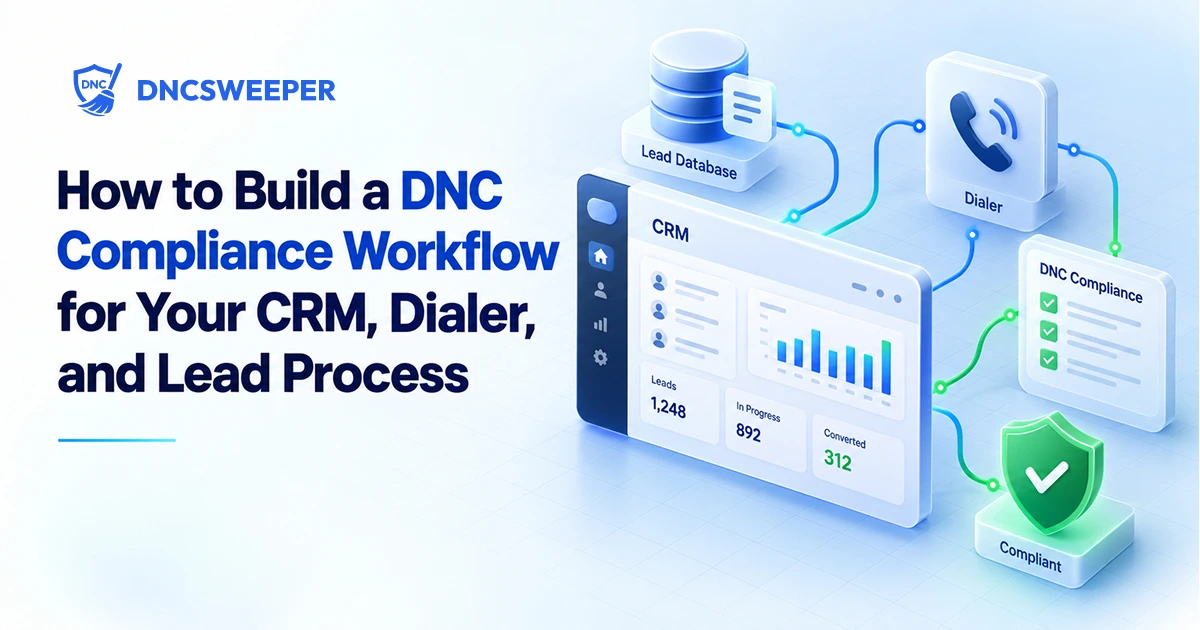
A practical architecture looks like:
Lead enters system
↓
Normalize phone number
↓
Check applicable DNC data
↓
Check company-specific suppression
↓
Evaluate consent / exemption / state / campaign rules as applicable
↓
Eligible or suppressed
↓
Send eligible record to CRM or dialer
↓
Capture future opt-outs
↓
Synchronize suppression
↓
Recheck when necessary
↓
Retain appropriate records
DNCSweeper can automate the DNC lookup portions of this sequence. It should not be treated as a replacement for the other controls.
For a deeper explanation of what scrubbing itself means, see Complete Guide to DNC Scrubbing.
Why a Workflow Matters More Than a One-Time DNC Check
Federal rules themselves illustrate why a process matters.
The FCC's National Do Not Call safe-harbor framework refers to written procedures, personnel training, maintaining suppression information, using a process that relies on National Registry data obtained no more than 31 days before the call, and keeping records documenting that process.
The FTC similarly describes a safe-harbor framework built around implemented procedures, training, entity-specific DNC records, current Registry data, monitoring, and errors occurring despite those controls.
In other words:
“We scrubbed the spreadsheet” is not the same thing as having a controlled process.
Consider an insurance agency with 40,000 leads.
Weak workflow
Vendor file
→ DNC scrub
→ Excel file saved to Downloads
→ employee uploads file to dialer
→ campaign runs
Several weeks later:
Original vendor file
→ different employee
→ dialer
→ campaign runs again
The second path bypassed the first scrub completely.
Better workflow
Vendor file
→ normalize
→ current DNC control
→ internal suppression
→ other eligibility checks
→ approved campaign dataset
→ dialer
And every future route into the dialer must pass through the same eligibility gate.
The workflow is only as strong as the easiest path around it.
Step 1: Map Every Way a Phone Number Enters Your Business
Before choosing an API or designing suppression fields, identify every lead-entry path.
For a real outbound business, that can include:
website forms;
purchased lead files;
CRM imports;
manual agent entry;
partner APIs;
lead vendors;
old campaign exports;
referrals;
subaccounts;
restored backups; and
contacts migrated from a previous CRM.
The purpose is not merely inventory.
You are looking for bypass paths.
Suppose your website leads use a DNC API, but sales representatives can manually import CSV files directly into the dialer.
You do not have one DNC workflow.
You have:
Controlled path:
Website → DNC check → CRM → dialer
and
Uncontrolled path:
CSV → dialer
A serious implementation needs rules for both.
Step 2: Normalize the Phone Number Before Making Decisions
Different systems may represent the same phone number differently:
3055550198
(305) 555-0198
+1 305-555-0198
If one system stores internal suppression against +13055550198 while another compares (305) 555-0198 as raw text, a simple database comparison can miss the suppression.
Normalize before:
DNC lookup;
internal suppression lookup;
deduplication;
consent matching; and
downstream routing.
DNCSweeper currently normalizes U.S. numbers automatically where possible. Its batch workflow accepts CSV, XLS, and XLSX files, detects the phone column, and preserves the other uploaded fields.
Preserving the original fields matters because the DNC result can remain connected to data such as:
lead_id
crm_contact_id
source
campaign
state
consent_date
and owner.
The phone number should be normalized.
The business context should not disappear.
Step 3: Perform the DNC Check Before the Contact Becomes Eligible
This is one of the most important architectural decisions.
Weak placement
New lead
→ CRM
→ active campaign
→ dialer queue
→ DNC check
The compliance decision happens after the record has already become callable.
Better placement
New lead
→ normalize
→ DNC check
→ remaining eligibility controls
→ eligible
→ CRM/dialer queue
For covered telephone solicitations, the FCC's current rule describes using a version of the National Registry obtained no more than 31 days before the call as part of the applicable safe-harbor process.
That establishes an important operational principle:
A DNC result has a timestamp.
Do not treat:
dnc_status = clean
as a permanent property of the lead.
Store something closer to:
dnc_status = clean
dnc_checked_at = 2026-09-03T10:14:22
dnc_source = ...
Then your workflow can determine whether the previous check remains usable under the rules and company policy that apply to that campaign.
Step 4: Keep National DNC and Internal Suppression Separate
A Registry check does not tell you whether the consumer has already told your company to stop calling.
Under the current FCC rule, covered company-specific DNC requests must be recorded when made, honored within a reasonable period not exceeding 10 business days, and maintained for five years.
Therefore your workflow should evaluate at least two distinct states:
registry_dnc_status
and
internal_dnc_status
For example:
|
Registry result |
Internal DNC |
Workflow result |
|
DNC |
No |
Suppress unless an applicable legal basis is separately established |
|
Clean |
Yes |
Suppress |
|
DNC |
Yes |
Suppress |
|
Clean |
No |
Continue to remaining eligibility checks |
|
Error / unresolved |
No |
Hold for review or retry |
The last row is easy to overlook.
An unsuccessful check is not a clean check.
For the deeper distinction between these sources, see National vs. Internal DNC Lists: What Businesses Need to Know.
Step 5: Evaluate Consent and Other Business Rules Separately
A common architecture mistake is to use DNC status as the entire permission model.
Do not build:
DNC = Clean → Can Contact = Yes
Instead build:
**DNC evaluation
-
internal suppression
-
applicable consent
-
applicable state requirements
-
campaign type
-
calling technology
-
other required business/legal controls
→ eligibility decision**
The FCC's rules separately regulate issues such as prior express consent, prior express written consent, calling times, company-specific do-not-call procedures, and consent revocation.
This is why a DNC API should return data into an eligibility engine, rather than become the eligibility engine itself.
See DNC vs. Consent vs. Opt-Out for the detailed conceptual model.
Step 6: Decide What Every Outcome Does
A lookup result is useful only if the workflow knows what happens next.
DNCSweeper currently separates batch processing into:
Clean
DNC
Invalid
Error
and provides a multi-sheet Excel export containing All, DNC, Clean, Invalid, and Errors sheets. Original uploaded columns are preserved.
A practical routing policy might be:
|
Result |
Next action |
|
DNC |
Hold from applicable campaign; preserve result |
|
Clean |
Continue to internal suppression and other eligibility controls |
|
Invalid |
Route to data-quality review |
|
Error |
Retry or quarantine; do not silently treat as Clean |
The principle is broader than DNCSweeper:
Every technical failure needs an explicit compliance outcome.
If the API is unavailable, should the system:
allow the lead through;
retry;
place it in a pending queue; or
stop campaign enrollment?
For most eligibility controls, quietly converting “unknown” to “approved” creates a dangerous failure mode.
How to Build a Batch DNC Workflow
Batch DNC workflows are best for existing databases, purchased lead files, aged leads, campaign uploads, CRM migrations, and other situations where many records need to be evaluated together before entering an outbound system.
A practical workflow is:
1. Receive the source file
Preserve important source metadata.
Do not strip away fields that may later explain where the lead came from.
2. Upload CSV or Excel data
DNCSweeper currently accepts CSV, XLS, and XLSX files and automatically detects the phone column for batch processing.
3. Normalize and scrub
DNCSweeper checks valid U.S. numbers against its daily-updated DNC database based on U.S. FTC Registry data and displays live DNC, Clean, Invalid, and Error counts during processing.
4. Review the results
Do not simply download “Clean” and assume the workflow is complete.
Remember:
Clean = not returned as DNC by that lookup.
DNCSweeper explicitly states that it does not currently expose separate federal, state, or DMA-layer flags.
Internal opt-outs, consent, state-specific requirements, calling method, and other applicable controls may still need separate evaluation.
5. Apply internal suppression
Compare records against your current company-specific DNC data before granting eligibility.
6. Apply the remaining campaign controls
Evaluate whatever consent, jurisdictional, exemption, or campaign-specific conditions your organization has determined apply.
7. Export or move eligible records downstream
DNCSweeper currently provides multi-sheet Excel exports and a dashboard action that can push clean batch contacts into TextTorrent without another manual file upload.
That direct import reduces one manual handoff, but organizations still need to ensure their other eligibility controls are applied before contact.
Suggested Graphic 1 — Batch DNC Compliance Workflow
Purpose: Show the complete path from raw spreadsheet through DNC checking and additional eligibility controls.
Suggested alt text: “Batch DNC compliance workflow showing lead upload, phone normalization, DNC lookup, internal suppression, eligibility review, and CRM or dialer import.”
How to Build a Real-Time DNC Workflow
Real-time DNC workflows check an individual phone number programmatically as the lead moves through a CRM, website, dialer, or automation process. The lookup should occur before the record is allowed into an active outbound queue, not after the first contact attempt.
A useful architecture is:
Website/API lead
↓
Normalize
↓
DNC API lookup
↓
Evaluate response
↓
Internal suppression lookup
↓
Consent / state / campaign controls
↓
Eligibility decision
↓
CRM or dialer
DNCSweeper's current Check API looks up one U.S. phone number at a time and returns a DNC/not-DNC result.
For implementation, store more than the final yes/no decision.
Useful fields include:
phone_normalized
dnc_status
dnc_checked_at
internal_dnc
consent_status
eligibility_status
eligibility_reason
campaign_id
source_id
decision_timestamp
This makes the workflow explainable later.
Do not hide API failures
A strong implementation defines three states:
Allowed
Suppressed
Unresolved
That is better than forcing every response into:
Yes / No
If the DNC service times out, the number belongs in Unresolved, not automatically in Allowed.
Suggested Graphic 2 — Real-Time Pre-Dial DNC Gate
Purpose: Show developers where the API should sit relative to CRM and dialer enrollment.
Suggested alt text: “Real-time DNC API workflow checking a lead before it enters an outbound CRM or dialer campaign.”
Use Webhooks to Remove Manual Waiting From Batch Processing
Batch processing introduces another operational question:
How does the next system know the list is finished?
The weak approach is:
Employee uploads file
→ periodically refreshes dashboard
→ notices batch completed
→ downloads file
→ uploads somewhere else
Every manual handoff adds another opportunity for:
the wrong file;
the wrong version;
a forgotten batch;
an incomplete job; or
an old export.
DNCSweeper currently supports a signed batch.completed POST webhook to an HTTPS endpoint when processing finishes.
That enables a workflow such as:
Batch completes
→ signed webhook received
→ internal system verifies event
→ retrieves/handles appropriate result state
→ runs internal suppression
→ applies additional business rules
→ sends eligible records downstream
The webhook does not perform those additional compliance checks.
It removes the need for a person to act as the integration.
Capture New Opt-Outs and Push Them Back Upstream
A compliance workflow cannot run in only one direction.
Before campaign launch:
CRM → eligibility controls → dialer
After contact:
Dialer → consumer response → suppression → CRM
Suppose a consumer says:
“Don't call me again.”
The FCC rule requires covered company-specific DNC requests to be recorded when made. It also makes the entity on whose behalf calls are placed responsible for failures when another party maintains those requests.
That means outsourcing the call does not eliminate the synchronization problem.
A better flow is:
Agent receives DNC request
↓
Central suppression record created
↓
Active dialer queue updated
↓
CRM updated
↓
Campaign automation updated
↓
Subaccounts/vendors receive applicable suppression state
↓
Future imports checked against suppression
The last step is critical.
Do not delete suppression history merely because the lead is no longer marketable.
Otherwise an old spreadsheet can make the same person look new six months later.
Recheck Leads When the Context Changes
A DNC workflow should define what makes a record stale.
Common triggers include:
an older campaign being reactivated;
a purchased list sitting unused;
a previous CRM export being reused;
a campaign paused for weeks;
contacts restored from backup;
leads transferred between systems; or
the current DNC result aging beyond the applicable threshold.
The FCC's current National DNC safe-harbor framework uses Registry data obtained no more than 31 days before the call.
DNCSweeper says its underlying DNC data is updated daily, although successful lookups may be briefly cached and its Usage page indicates cached versus fresh API activity.
The operational insight is:
Do not ask only “Has this lead ever been scrubbed?”
Ask:
“Is the existing eligibility evidence current enough for what we are about to do?”
Keep an Audit Trail of the Decision
A useful audit trail should let the business reconstruct how a contact became eligible.
Current FTC TSR recordkeeping amendments require covered telemarketing records to generally be retained for five years, including records concerning calls, consent, established business relationship claims, people who asked not to be called, service providers, and the version of the DNC Registry accessed.
Your operational record may therefore need information such as:
Phone number
Lead/source ID
DNC result
DNC check timestamp
Internal suppression result
Consent or exemption evidence where applicable
Eligibility decision
Campaign
Outbound system
Opt-out events
System/user responsible
Relevant policy or rule version
DNCSweeper currently provides visibility into batch versus API lookups, cache hits, and recent Check API activity for the previous 30 days.
That can help with operating visibility.
It should not be assumed to replace whatever records your organization is independently required to retain.
Seven Failure Points to Test Before Going Live
1. Direct-to-dialer imports
Can an employee upload a CSV without passing through the eligibility workflow?
2. API timeout behavior
Does a failed lookup produce Unresolved, or does the system accidentally treat it as Clean?
3. Internal DNC synchronization
Can a number suppressed in CRM A still be called from Dialer B?
4. Old-list reimports
Can an old spreadsheet resurrect a previously suppressed consumer?
5. Campaign cloning
Does duplicating last month's campaign also duplicate stale eligibility decisions?
6. Vendor handoffs
Does an outsourced call center receive updated suppression information before dialing on your behalf?
7. Manual overrides
Can an agent change suppressed to active without an appropriate controlled process?
These tests are more useful than simply asking whether the company “uses a DNC scrubber.”
They test whether the architecture actually enforces the intended process.
A Practical DNC Workflow Checklist
Before putting the workflow into production, confirm that:
-
Every source of phone numbers has been mapped.
-
Every path into the CRM or dialer is subject to an eligibility control.
-
Numbers are normalized before matching.
-
DNC checking occurs before campaign activation.
-
DNC status includes a check timestamp.
-
National/registry DNC status is stored separately from internal DNC status.
-
Consent and other applicable permissions are evaluated separately.
-
DNC, Clean, Invalid, Error, and unresolved states each have defined routing.
-
API failures do not silently become approvals.
-
Internal DNC requests propagate between relevant systems.
-
Old imports cannot overwrite suppression history.
-
Batch jobs can trigger downstream automation without depending entirely on manual intervention.
-
Records are rechecked when applicable data becomes stale or campaign context changes.
-
Appropriate decision records are retained.
-
The team periodically tests known suppressed numbers through every import and dialing path.
If those controls work together, the company has something much more useful than a cleaned spreadsheet:
a repeatable contact-eligibility process.
Frequently Asked Questions:
What is a DNC compliance workflow?
A DNC compliance workflow is the process that checks applicable Do Not Call data, internal suppression, and other required eligibility information before a contact enters an outbound campaign, then captures and synchronizes new suppression events afterward.
Where should a DNC check happen in a CRM workflow?
Ideally, the DNC check should occur before the contact is granted eligibility for an active outbound campaign. Checking after the number has entered the dialer creates a window in which contact may occur before the result is enforced.
How often should DNC status be rechecked?
For covered National DNC activity, the FCC safe-harbor framework requires using Registry data obtained no more than 31 days before the call. Companies may check more frequently based on their workflow, campaign, or risk controls.
Should an API failure be treated as a clean number?
No. Operationally, a failed or unresolved lookup should be treated as a separate state and retried or reviewed. “The check failed” does not mean “the number was not on the DNC list.”
Can DNC checks be automated?
Yes. DNCSweeper currently provides a one-number Check API for real-time workflows and signed batch.completed webhooks for batch processing.
Can I upload an Excel list for DNC scrubbing?
DNCSweeper currently supports CSV, XLS, and XLSX uploads. Results can be downloaded as a multi-sheet Excel workbook containing All, DNC, Clean, Invalid, and Errors sheets.
Does a Clean DNCSweeper result mean the lead can legally be called?
No. DNCSweeper states that its lookup returns whether a number is on the DNC data it checks. It does not currently expose separate federal, state, or DMA-layer flags, and a Clean result does not establish internal DNC status, consent, or every other legal condition relevant to the campaign.
How should internal DNC requests be synchronized?
A company-specific DNC request should feed the systems capable of initiating applicable contact—such as CRM, dialer, campaign tools, relevant vendors, and future-import suppression—rather than remaining only in the system where the request was first received.
Should old lead lists be scrubbed again?
If an old list is being reused, do not rely blindly on the historical result. National DNC data changes, internal suppression changes, and other eligibility information may also have changed. Evaluate whether the previous decision remains current before reactivating the leads.
Does a DNC workflow make a company fully TCPA compliant?
No. A DNC workflow handles an important set of contact-governance controls. Consent, calling technology, state-specific requirements, calling practices, revocation, time restrictions, and other obligations may need separate evaluation.
Turn the DNC Check Into an Eligibility Gate
The strongest DNC workflow has one architectural rule:
No contact becomes active merely because it exists in the database.
It becomes active because the required controls were evaluated and the workflow produced an eligibility decision.
For a batch process, that can mean:
Upload → normalize → DNC scrub → review results → internal suppression → other controls → export/import → outbound queue
For real-time leads:
Lead arrives → Check API → internal suppression → other applicable controls → allow or block next step
DNCSweeper currently supports both sides of that DNC layer: CSV/XLS/XLSX batch processing, normalization, live results, separated exports, real-time single-number checks, signed completion webhooks, TextTorrent import, and usage visibility.
The tool should remain one component of the architecture—not the definition of compliance itself.
The larger objective is to create a process where your team can answer four questions about any outbound record:
What did we check?
When did we check it?
Why did the contact become eligible or suppressed?
Can another system bypass that decision?
When those answers are built into the workflow, DNC compliance stops depending on someone remembering which spreadsheet to upload.